Websites are no longer just visited by people. More and more, AI agents are browsing the web on our behalf, and they are pretty bad at it: they take screenshots, guess which button to click, and hope for the best. WebMCP is a proposed web standard that wants to fix this. Instead of making agents reverse-engineer your UI, your page tells them exactly what it can do by registering tools. Basically like an MCP server, but right in the browser.
If you have been following this blog, you know I like to experiment with Web AI and bring MCP to WordPress. So naturally I have been playing with WebMCP quite a bit. And one question kept coming up: how do I actually test this stuff?
That is why I built playwright-webmcp, a set of testing tools for WebMCP tool surfaces. Let me tell you why you might need it.
A quick WebMCP primer
With WebMCP, a page exposes tools through document.modelContext. There are two flavors: imperative tools that you register in JavaScript, and declarative tools where you simply add a few attributes to an existing <form>:
document.modelContext.registerTool({
  name: "search_products",
  description: "Search the catalogue by keyword",
  inputSchema: {
    type: "object",
    properties: { query: { type: "string", description: "Search term" } },
    required: ["query"],
  },
  annotations: { readOnlyHint: true },
  async execute({ query }) {
    return { products: await searchProducts(query) };
  },
});Code language: JavaScript (javascript)<form toolname="subscribe" tooldescription="Subscribe to the newsletter">
<input type="email" name="email" toolparamdescription="Email address">
</form>Code language: HTML, XML (xml)A (browser) agent can then discover these tools and call them with structured input. No more pixel guessing. For more comprehensive examples, check out the suite of demos created by Chrome Developer Relations.
Why testing WebMCP is tricky
Here is the thing: your tool definitions are now an API. But the consumer of that API is a language model, not a developer reading your docs. That brings a whole new set of failure modes:
- Bad descriptions
A vague or missing description means the model simply won’t pick your tool, or picks the wrong one. - Schemas the browser doesn’t like
For example, Chrome’s Prompt API rejectsnullanywhere in a schema or a result. Good luck figuring that out from a silent failure. - Page-level problems
Two tools with nearly identical descriptions, duplicate names across iframes, or a third-party widget registering a tool calledsearchProductsright next to yoursearch_products. - Security
Every string you declare, and every string a tool returns, ends up in a model’s context. That makes tool descriptions and results a prime vector for prompt injection. - Agent behavior
Even if every tool works in isolation, does an agent actually call the right tools in the right order when a user asks it to do something?
Some of this is already covered, which is great. Chrome reports problems with declarative forms as DevTools issues, like a missing tool name or description. And Lighthouse has audits for form coverage, for the schema validity of declarative tools, and a listing of all registered tools. But imperative tools, page-level problems, actually calling the tools, or noticing when they change are not part of that. I wanted something that covers the whole picture and can fail a pull request on CI, all while integrating into my existing toolset and without costing me any tokens.
Meet playwright-webmcp
If you have ever used axe-core for accessibility testing, the architecture will feel familiar. There is one engine that judges tool definitions, and thin adapters around it for wherever those definitions live. The project consists of four packages:
@swissspidy/webmcp-lint
The rule engine itself. No dependencies, no browser. Also comes with a CLI to linttools.jsonfiles.@swissspidy/playwright-webmcp
A Playwright fixture with custom matchers, call recording, mocking, on-device model support and more.@swissspidy/eslint-plugin-webmcp
The same rules, run statically against your source code. Works with oxlint too.@swissspidy/webmcp-audit
A CLI that crawls any site, lints every page, calls read-only tools, and flags changes between pages and between runs.
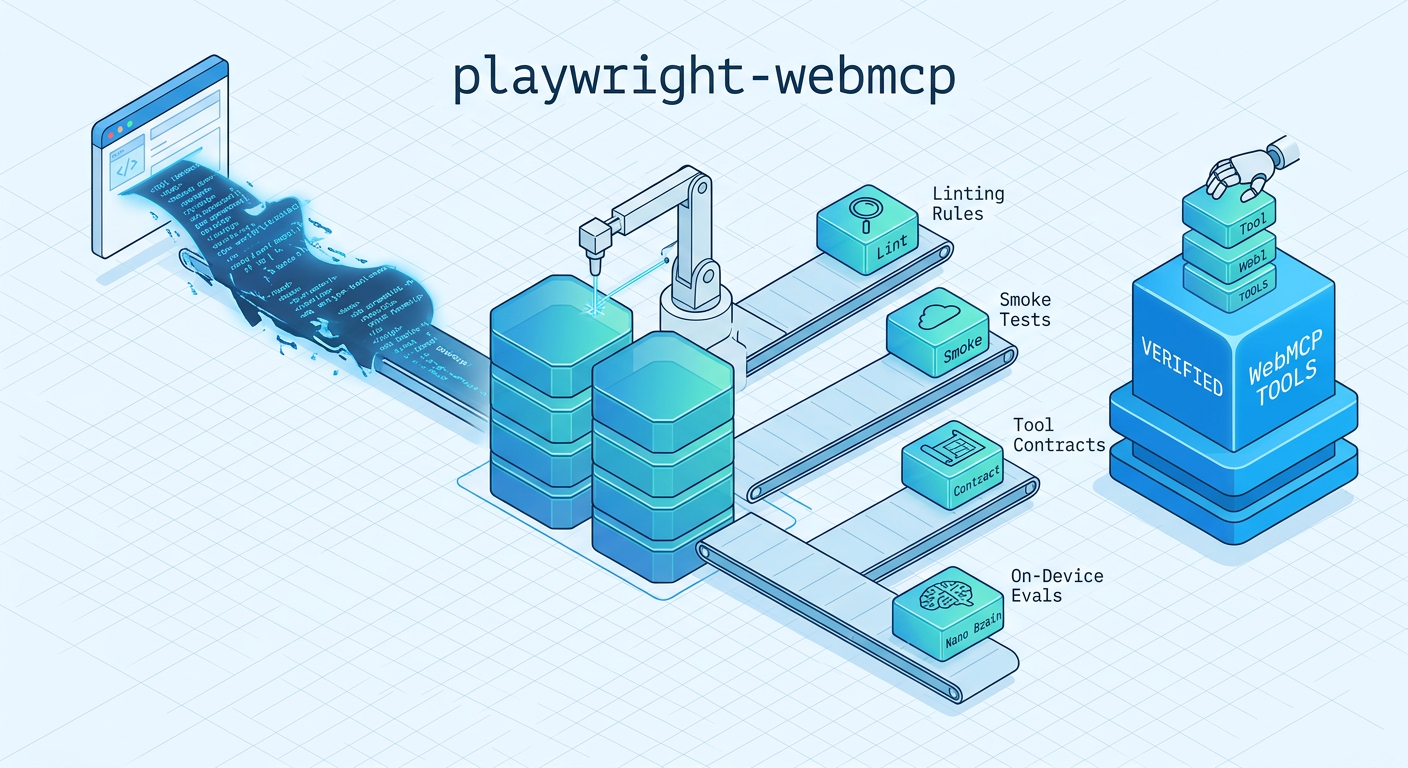
Some of these lint rules deliberately overlap with what DevTools and Lighthouse report, so that a Playwright test suite can fail a pull request on the same findings. Everything else, from the imperative and page-level rules to smoke runs, tool contracts and on-device evals, hasn’t been covered until now.
Testing tools with Playwright
The Playwright package is the heart of it all. It gives you a webmcp fixture that discovers tools in every frame on the page (including cross-origin iframes), lets you call them, and records every call. Here is what a test looks like:
import { test, expect } from "@swissspidy/playwright-webmcp";

test("shop exposes usable tools", async ({ page, webmcp }) => {
  await page.goto("/");

  await expect(webmcp).toHaveTool("search_products", {
    description: /catalogue/,
    inputSchema: { required: ["query"], properties: { query: { type: "string" } } },
  });

  await expect(webmcp).toPassLint({ failOn: "warning" });

  const { products } = await webmcp.call("search_products", { query: "shirt" });
  await webmcp.call("add_to_cart", { productId: products[0].id, quantity: 2 });

  expect(webmcp).toMatchCalls([
    { functionName: "search_products" },
    { functionName: "add_to_cart", arguments: { productId: products[0].id } },
  ]);
});Code language: JavaScript (javascript)
Importantly, there is no polyfill. Everything runs against the browser’s own WebMCP implementation, which is currently available in Chromium behind the --enable-features=WebMCP flag. When available, the fixture even hooks into the new WebMCP Chrome DevTools Protocol domain. That way you can observe calls made by Chrome’s built-in agent, which page scripts can’t see. You can of course configure a polyfill inside your app if you’d like.
Some other things I find really useful:
- Smoke tests:
toPassSmoke()generates inputs from each tool’s schema (valid ones, boundary values, and invalid ones) and checks the results. Is the result too large? Does it containnull? Does a supposedly read-only tool navigate away? - Tool contracts:
toMatchToolContract()snapshots all your tools and fails with a readable diff when a description or schema changes. A nice agent-facing changelog during code review! - Mocks and replay: swap out a tool implementation from your test, so you can test
add_to_cartwithout actually adding things to a cart. - A reporter that writes
tools.json,coverage.json, and a MarkdownTOOLS.mdreference across your whole test suite.
Testing what agents actually do
Testing tools directly is one thing. But the real question is whether an agent can make sense of them. There is already webmcp-evals, a CLI to run evaluations against WebMCP tools. playwright-webmcp can run the very same eval cases with the exact same matching semantics, so one evals.json file serves both:
[
  {
    "name": "add two shirts",
    "messages": [{ "role": "user", "type": "message", "content": "Add two red shirts to my cart" }],
    "expectedCall": [
      { "functionName": "search_products", "arguments": { "query": { "$contains": "shirt" } } },
      { "functionName": "add_to_cart", "arguments": { "quantity": 2 } }
    ]
  }
]Code language: JavaScript (javascript)
Who is the agent? You choose! The promptApi fixture drives Chrome’s built-in Prompt API with Gemini Nano right inside the page, just like an in-page agent would. That is the cheapest way to run evals locally, as it doesn’t require any API keys or incur costs. Gemini Nano isn’t the strongest model though, so treat it more as a smoke test for your descriptions.
For more meaningful results, you can bring your own agent. The toolsForAgent() helper hands the page’s tools to any model or framework running in Node. For example, a ToolLoopAgent from the Vercel AI SDK can be passed straight to toPassEval():
await expect(webmcp).toPassEval(evalCase, { agent });Code language: JavaScript (javascript)Note: I’m not super happy with that API yet, so might have to do some tweaks there. Feedback welcome!
Catching problems before they ship
The linter currently comes with 30+ rules: some are in the engine itself, others only exist in the ESLint plugin because they need to read your source code. Some of them are about quality, like missing parameter descriptions or schemas that are too deeply nested. Others are about trust and security, which I think is going to become a really important topic for WebMCP:
description-injectionflags instruction overrides, role markers, and hidden zero-width characters in any tool text.tool-shadowingcatches look-alike tool names registered from different frames or origins. Basically typosquatting for agents.capability-trifectawarns when a tool returns third-party content (think comments or reviews) on a page that also has tools acting on the user’s behalf. Text inside those comments could ask the agent to call them!declarative-autosubmit-sensitivepreventstoolautosubmiton forms with password or credit card fields.
The tool-scoped rules are also available in the ESLint plugin, so you see problems right in your editor:
// eslint.config.js
import webmcp from "@swissspidy/eslint-plugin-webmcp";

export default [webmcp.configs.recommended];Code language: JavaScript (javascript)
And if you just want to check any existing site, without access to its source or tests, simply point the audit CLI at it:
npx @swissspidy/webmcp-audit https://shop.example --max-pages 20 --smokeCode language: Bash (bash)In my opinion, this is a great addition to Lighthouse‘s Agentic Browsing category, which is the right first look at a single page: it lists the registered tools, flags forms without WebMCP annotations, reports the problems Chrome itself raises for declarative tools, and gives the page an agent-readiness score. The audit CLI deliberately leaves scoring to Lighthouse and focuses on what a single-page report can’t do:
- Calling the tools
With--smoke, it executes read-only tools with valid, boundary, and invalid inputs derived from their schemas, and judges the results. - The whole site
It crawls same-origin pages and reports tools whose description or schema differ from page to page. - Change over time
With--baseline, an earlier report becomes a contract, so CI can fail when your tool surface changes unexpectedly. - Every frame, every rule
Tools in iframes are audited too, against the full rule set ( including the security rules mentioned above).
Try it out
The project is still very early, and so is WebMCP itself. The specification is still changing and Chrome is currently running an origin trial. Expect APIs to move. But that is exactly why now is a good time to get involved and shape things.
All four packages are available on npm. To get started with the Playwright fixture, install it next to the rule engine:
npm install --save-dev @swissspidy/playwright-webmcp @swissspidy/webmcp-lint @playwright/testCode language: Bash (bash)Check out the GitHub repository for the full documentation, the reference for every lint rule, and a complete example using a React shop. Please give it a try and let me know what you think! Bug reports, feature requests, and pull requests are all very welcome.
Leave a Reply